
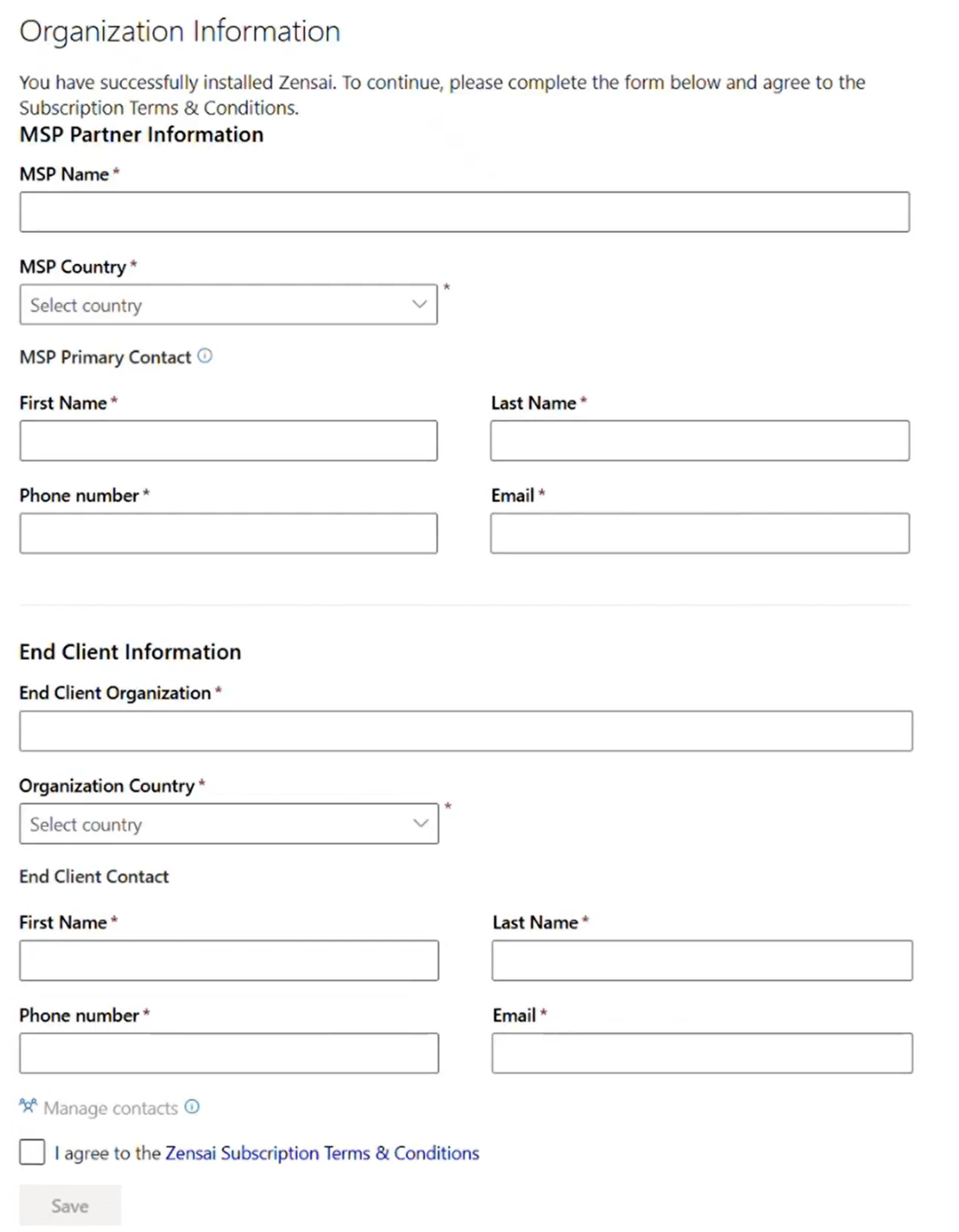
When Learn365 is installed, you’ll be directed to the Organization Information page where you should enter the required information about the end client and you as MSP.
Required role: Microsoft 365 global admin
We’ll use the information you provide if we need to contact you as MSP about the solution.
-
On the Organization Information page, enter the required information.
- MSP Partner Information
Enter your organizations details and who is the main contact person in your organization.-
- MSP Name
- MSP Country
- MSP Primary Contact
- First Name, Last Name, Phone number, Email
-
- End Client Information
Enter the end clients organization information and main contact person.-
- End Client Organization
- Organization Country
- End Client Contact
- First Name, Last Name, Phone number, Email
-
- MSP Partner Information
-
Then, select the checkbox 'I agree to the Learn365 Subscription Terms & Conditions'.
If you don't select the checkbox, you won't be able to proceed.
Need additional support?
We are happy to help! Please reach out to partner success team on
marketplace@zensai.com