
Grant permissions to Learn365 app
- Navigate to Teams Admin Center and select 'Manage apps' in the left menu. Manage your apps in the Microsoft Teams admin center - Microsoft Teams | Microsoft Learn
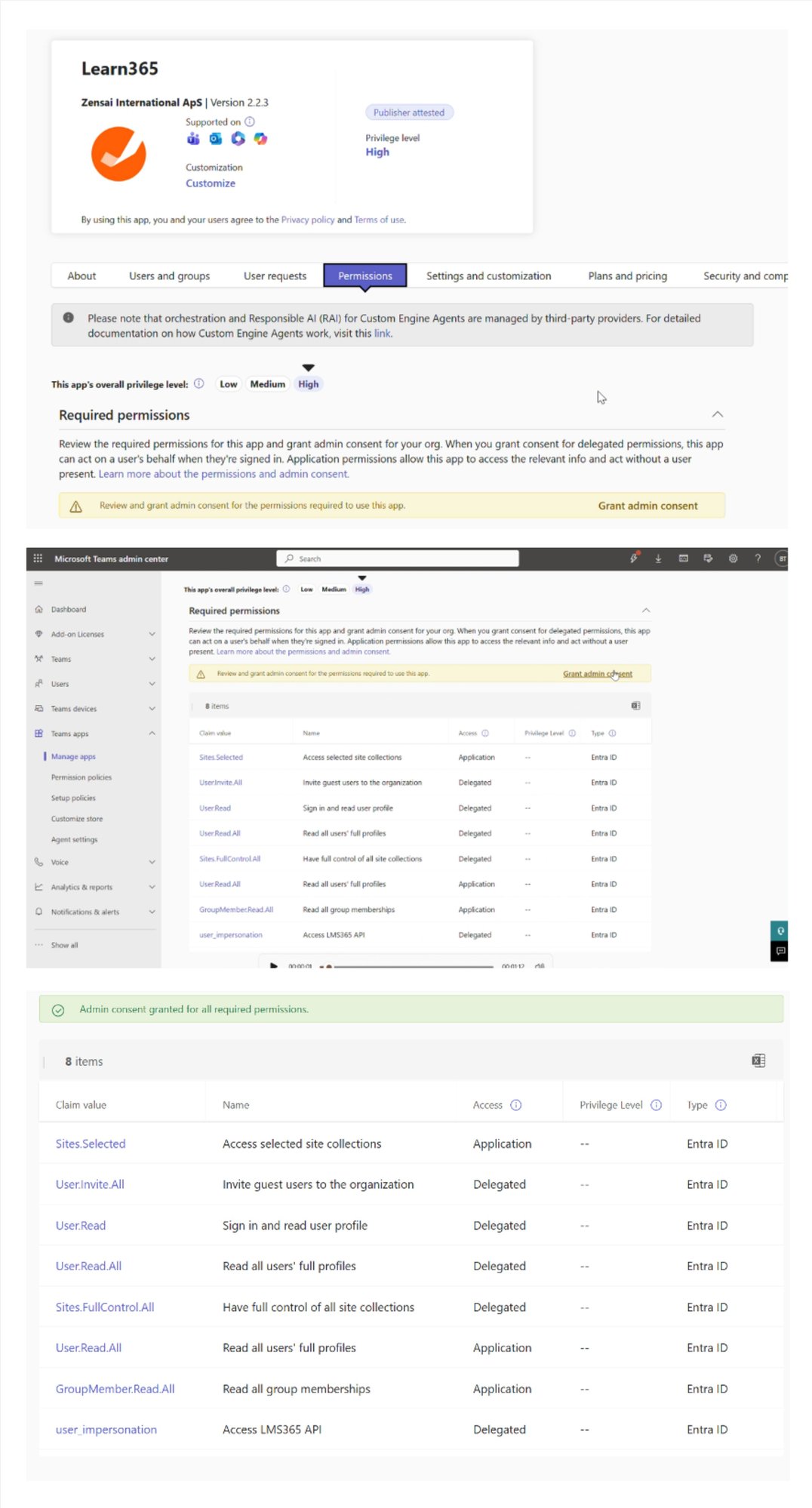
- Search for Learn365 app and click on the name.
Please note: You must select the app named Learn365 with the orange Zensai logo. Do not select similarly named apps that are not published by Zensai.
3. Select 'Permissions tab' and select 'Grant admin consent'.
Need additional support?
We are happy to help! Please reach out to partner success team on
marketplace@zensai.com