
5. Select 'Add' at the bottom of the panel.
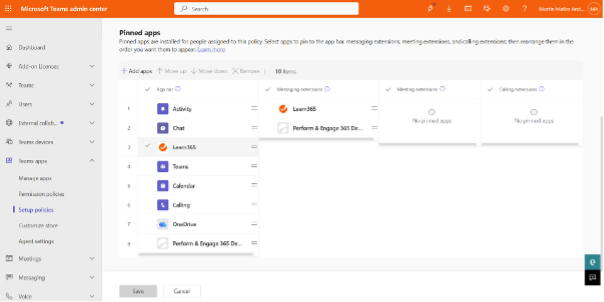
6. Under the App bar, arrange the apps in the order you want to display them in Teams.
7. Select 'Save'
Users will now see the Learn365 icon in the app navigation bar of Microsoft Teams, and the Learn365 app for Microsoft Teams will be available to users.
Need additional support?
We are happy to help! Please reach out to partner success team on
marketplace@zensai.com