
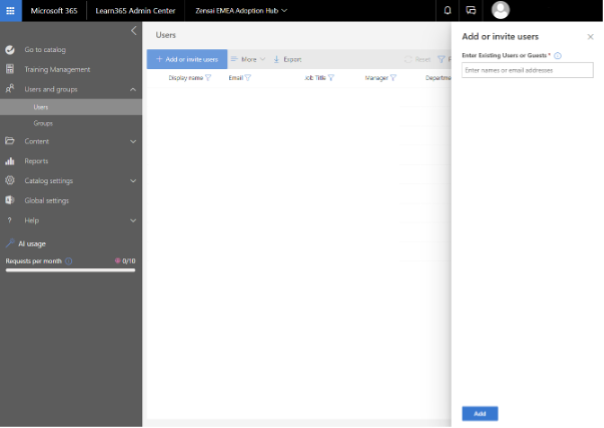
- Select 'Users and groups'
- Select to add either 'Users' or 'Groups'
- Select 'Add or invite users'
- Enter and validate the required email addresses or group names in the 'Add or invite users' panel
- 'Add' the users or groups
If you already set up the integration with Microsoft Entra ID, you can add users to the course catalog either as individual Entra Users or Entra Groups.
If the integration with Microsoft Entra ID is not connected, you need to do this first.
Need additional support?
We are happy to help! Please reach out to partner success team on
marketplace@zensai.com