
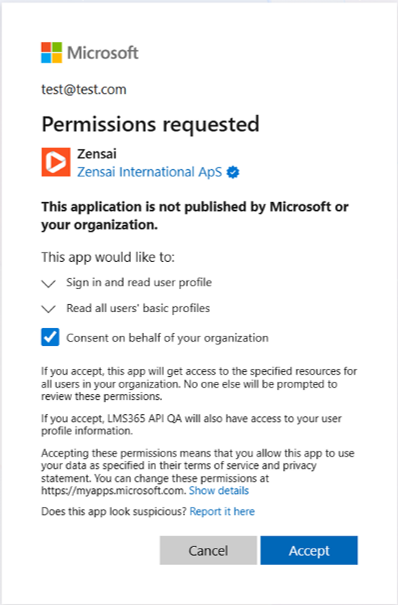
Consent and accept the Zensai permissions.
You might be prompted to consent to these permissions twice, depending on your browser and browser settings.
Microsoft 365 global admins can also select 'Consent on behalf of your organization' to accept the permissions for the whole organization.
This way, users from this organization won’t have to accept these permissions when using Learn365.
Important ☝️
If a Microsoft 365 global admin doesn’t accept the permissions for the whole organization, or someone other than a Microsoft 365 global admin installs Learn365 every user from the organization will need to accept the permissions during their first log in to Learn365.
An application marked as publisher verified (a blue “verified” icon) shows that the publisher has verified its identity using a Microsoft Partner Network (MPN) account that has completed the verification process and has associated this MPN account with their application registration.
Need additional support?
We are happy to help! Please reach out to partner success team on
marketplace@zensai.com